Is Your Practice Domain Registered in Your Name?
By Michael Dorausch, D.C.
This guide is a follow-up to Chiropractor Domain Research: Findings for Nov 2026. In that report we wrote a sentence I want every chiropractor to take personally: “If a vendor set up your domain, it is worth confirming the registration is in your practice's name.”
Your website address is not a minor technical detail. It is the name patients type, the address on your email, and often the link under your listings and reviews. If that name is registered to someone else, you may not fully control it.
This guide explains, in plain language, who the legal owner of a domain is, what can go wrong when that owner is not the practice, and the steps to put the registration in your own name and keep it there. It is general information for practice owners, not legal advice. The rules described here are the current ICANN rules for generic domains such as .com and .net. Country-code domains can work differently.
Four different jobs, only one owner
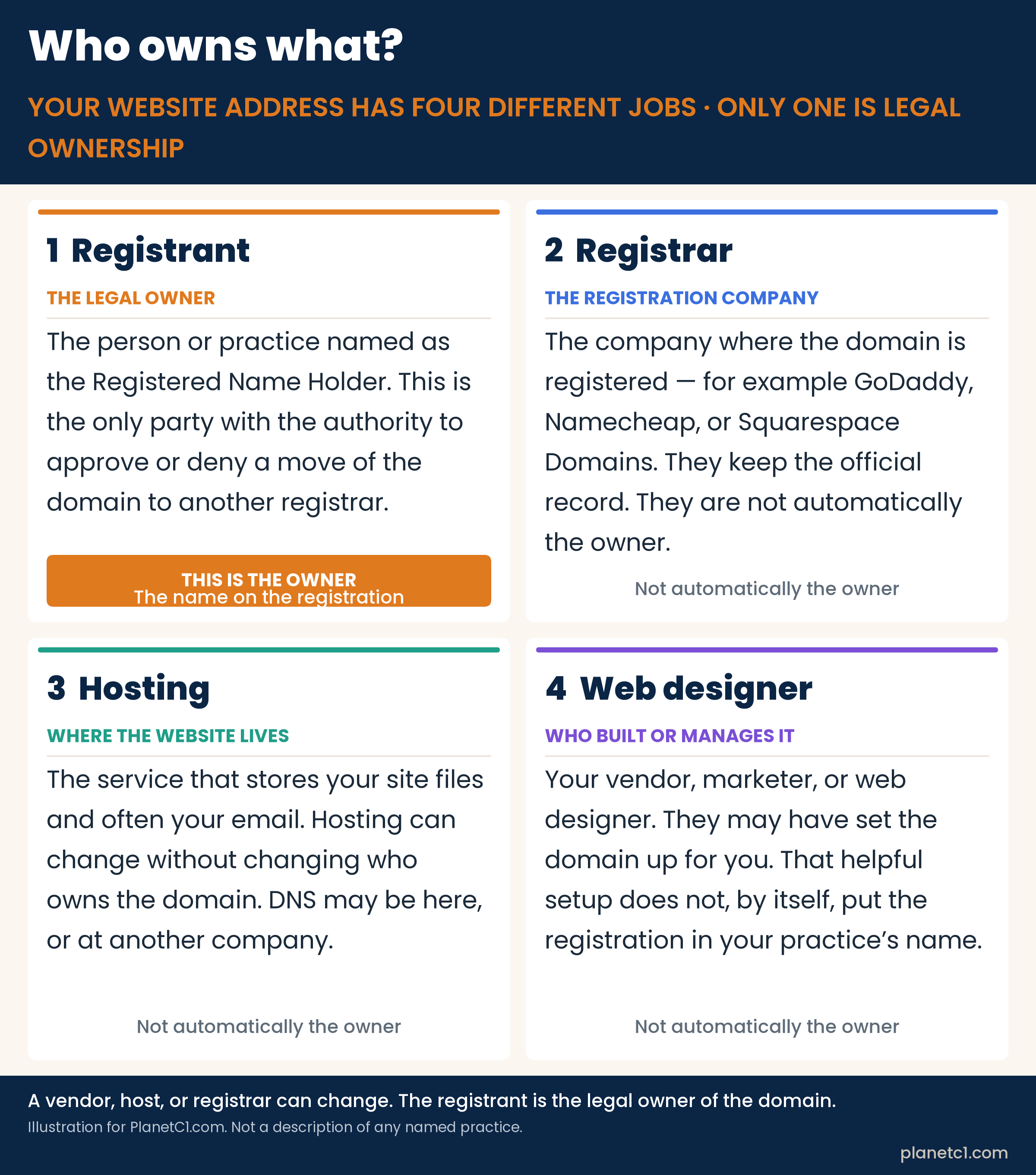
When people say “our website,” they often mix up four different roles:
- The registrant is the legal owner. ICANN calls this person or organization the Registered Name Holder. This is the name on the registration, and it is the only party with the authority to approve or deny a transfer of the domain to another registrar.
- The registrar is the company where the domain is registered — for example GoDaddy, Namecheap, or Squarespace Domains. They keep the official record. They are not automatically the owner.
- Hosting is where the website files live, and often where email is set up. You can change hosts without changing who owns the domain.
- The web designer or vendor is who built or manages the site. They may have been the one who clicked “register” for you. Helpful setup is not the same thing as putting the registration in the practice’s name.
In the findings report, we also saw that the registrar, the DNS (the directions that point your name to a website), and the company that built the site are usually three different companies. Only 38.9% of the practice domains we looked up used their registrar’s own DNS. So it is common for several companies to touch your website address. That is fine, as long as the practice is the registrant.
Why the name on the registration matters
ICANN’s Transfer Policy is clear on this point: the Registered Name Holder is the only party that has the authority to approve or deny a transfer to another registrar. ICANN also tells registrants that they assume sole responsibility for the registration and use of their domain name, and that they must keep their registrar account data current, including the email where official notices are sent.
If a vendor, a marketer, a former associate, or someone’s personal Gmail account is listed as the registrant, then that party — not the practice — holds the rights that matter when you want to renew, move, or sell the name. The practice can be paying the bills and still not be the owner.
What can go wrong if the name is not in the practice’s name
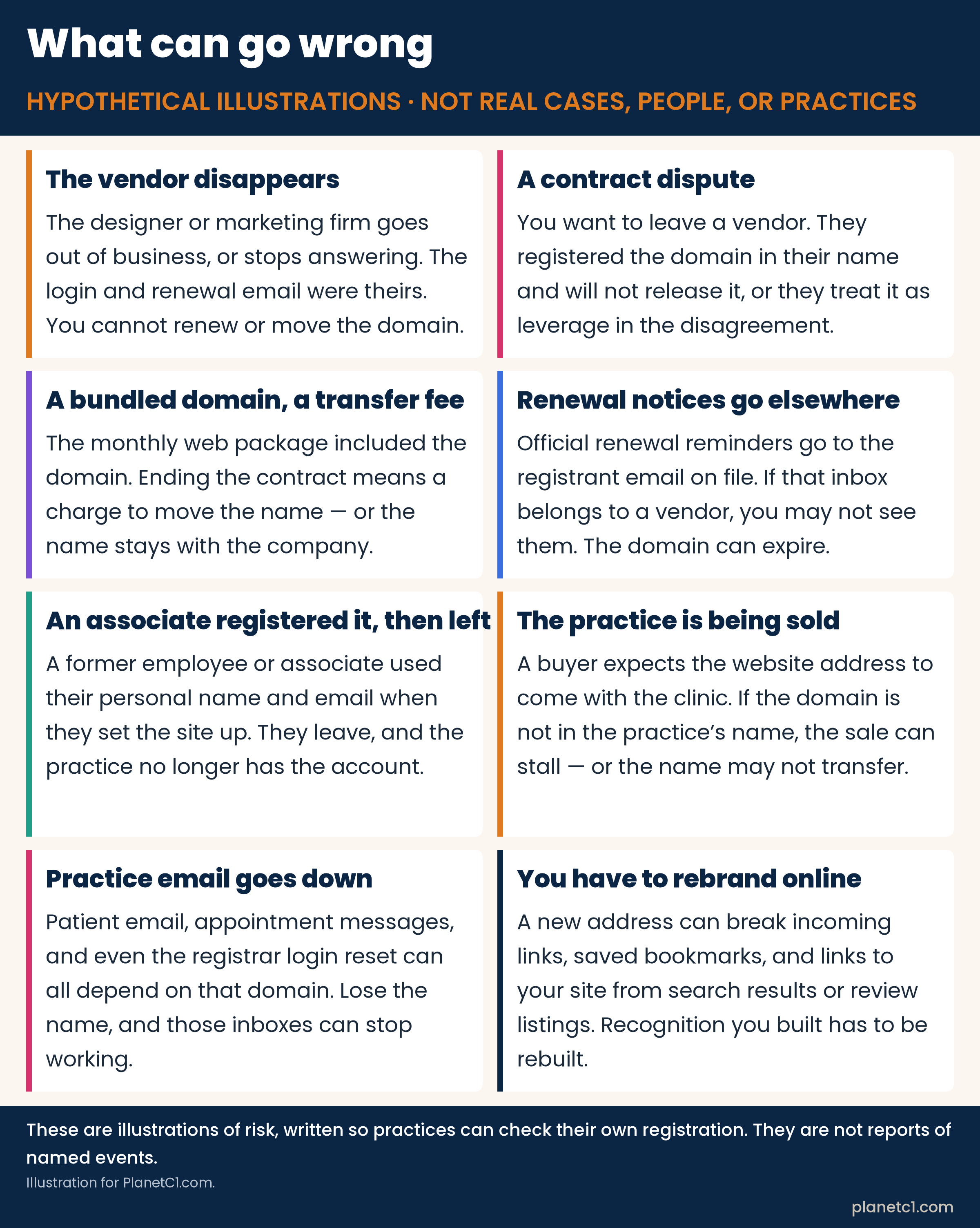
The scenes below are illustrations, written to make the risk concrete. They are not reports of real practices, and they do not describe named people or court cases.
The vendor disappears
A designer or marketing firm set up the domain, kept the registrar login, and used their own email on the account. Later they go out of business, or simply stop answering. The practice still has a website — until the next renewal, or until someone needs to change a setting. Without the account, you may not be able to renew or move the name.
A contract dispute, and the domain is leverage
You want to leave a vendor. The domain was registered in the vendor’s name. They will not release it, or they treat it as something you have to buy your way out of. The website you have been building for years is suddenly part of the argument.
The domain was bundled into a marketing contract
A monthly web package included “your domain.” Ending the contract means a fee to move the name, or the name stays with the company. If the registration was never in the practice’s name, you are negotiating for something you may have assumed you already owned.
Renewal notices go to an inbox you do not watch
ICANN’s Expired Registration Recovery Policy requires registrars to send at least two renewal reminders before a domain expires — about one month prior, and about one week prior — and another notice within five days if the name expires and is deleted. Those notices go to the registrant email on file. If that inbox belongs to a vendor, a former staff member, or an address nobody checks, you may never see them. After expiration, a registrar may offer a short auto-renew grace period (commonly 1 to 45 days, on that registrar’s terms). Once the name is deleted, generic-domain registries must offer a 30-day Redemption Grace Period, usually at a higher restore fee. During that stretch, the website and email on the domain can stop working. The safest path is to renew well before the date, not after it.
An employee or former associate registered it personally
Someone on the team used their personal name and email when the site was first set up. They leave. The practice no longer has the login, and the official owner is a person who may have moved on, changed email addresses, or may not want to help.
The practice is being sold
A buyer expects the website address to come with the clinic. If the domain is not in the practice’s name — or not clearly under the practice’s control — the sale can stall, or the name may not transfer with the rest of the business. The clinic’s sign and the clinic’s internet address should be able to travel together.
Practice email goes down
Patient messages, appointment confirmations, and sometimes even the reset link for the registrar account itself can all depend on that one domain. If you lose control of the name, those inboxes can stop working at the same time.
You have to rebrand online
A new address can break incoming links, saved bookmarks, and links to your site from search results or review listings. The recognition you spent years building does not automatically follow a new name. You would have to rebuild it.
Is your name on it? A three-step check
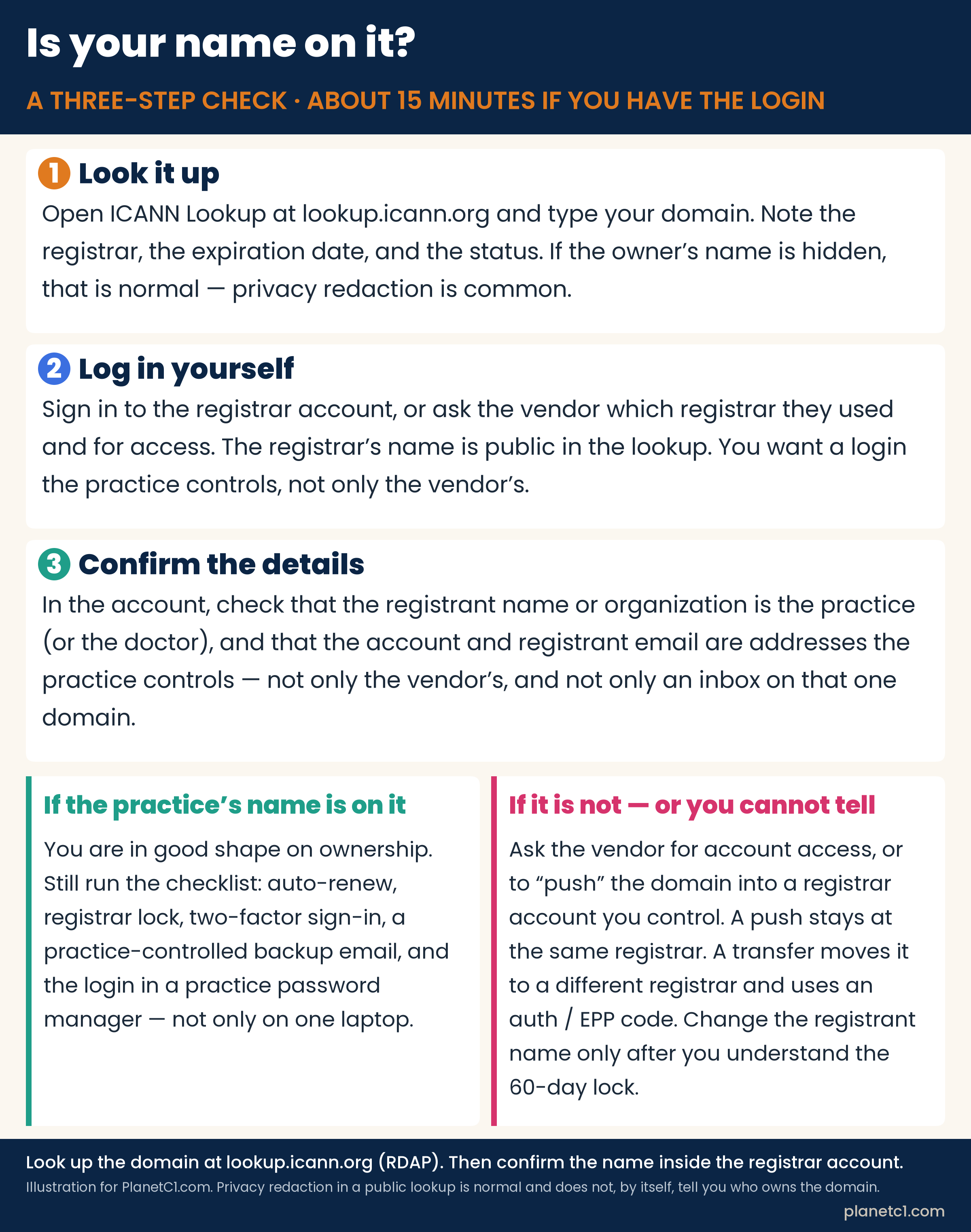
You can do this short check this week. The public lookup tells you the registrar. The registrar account is where you confirm the owner.
- Look the domain up at ICANN Lookup (lookup.icann.org). Write down the registrar, the expiration date, the status codes, and the name servers.
- Log in to the registrar account yourself. If you do not have a login, ask the vendor which registrar they used and for access — or for a move of the domain into an account the practice controls.
- Confirm the registrant name and email. The registrant should be the practice or the doctor, not the vendor. The account and registrant email should be addresses the practice controls, and should not depend on this one domain alone.
1. Look the domain up
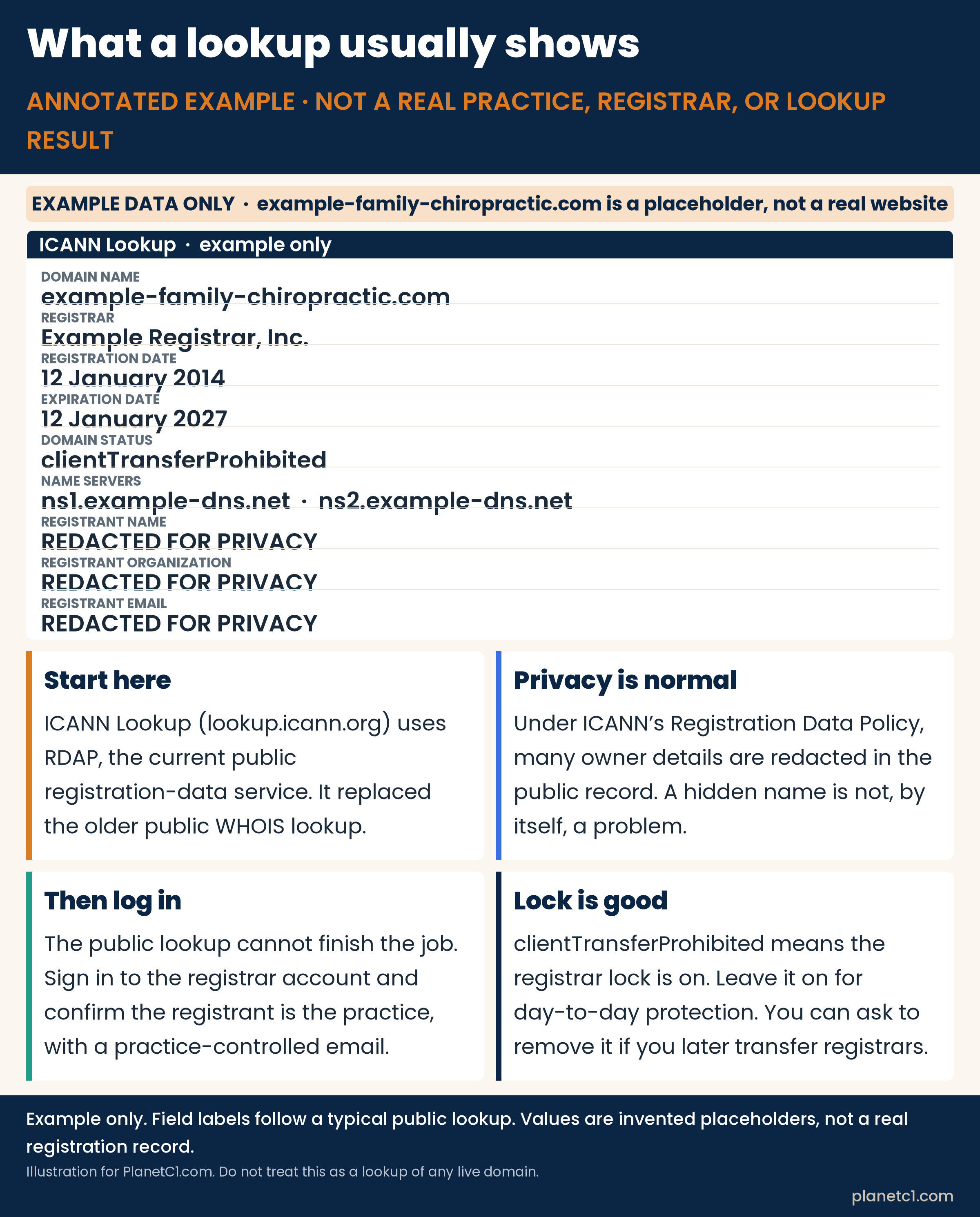
Open ICANN Lookup at lookup.icann.org and type your domain. This is a free public service. It uses RDAP, the Registration Data Access Protocol, which became the definitive public source for generic-domain registration data on January 28, 2025, in place of the older public WHOIS lookup.
Do not be surprised if the registrant’s name and email are hidden. Under ICANN’s Registration Data Policy, which took effect for contracted parties on August 21, 2025, many owner details are redacted in the public record, or a privacy or proxy service is shown instead. That is normal. A hidden name does not, by itself, tell you who owns the domain. It also does not mean something is wrong. You still need to log in.
2. Log in to the registrar account yourself
The lookup tells you the registrar’s name. Go to that company and sign in to the account that holds the domain. If you do not have a login, ask the vendor which registrar they used and for access to the account — or for a move of the domain into an account the practice controls, which is covered below.
If the only person who can sign in is the vendor, the practice does not yet have control, even if the site looks like yours.
3. Confirm the registrant name and the email
Inside the account, check that the registrant name or organization is the practice, or the doctor, not the vendor. Check that the account email and the registrant email are addresses the practice controls.
Use a practice-controlled email that does not depend on this one domain alone. Official renewal reminders, transfer confirmations, and annual contact-data reminders are sent to the registrant email. If that inbox lives only at the same domain, and the domain or its email ever goes down, you can lose the very messages that would help you get it back. A second, practice-owned mailbox — at another domain you control, or another long-lived address the practice owns — is a simple safety net. Keep that information current. ICANN also requires you to respond to inquiries from your registrar within fifteen days.
A checklist to register — and keep — the domain correctly
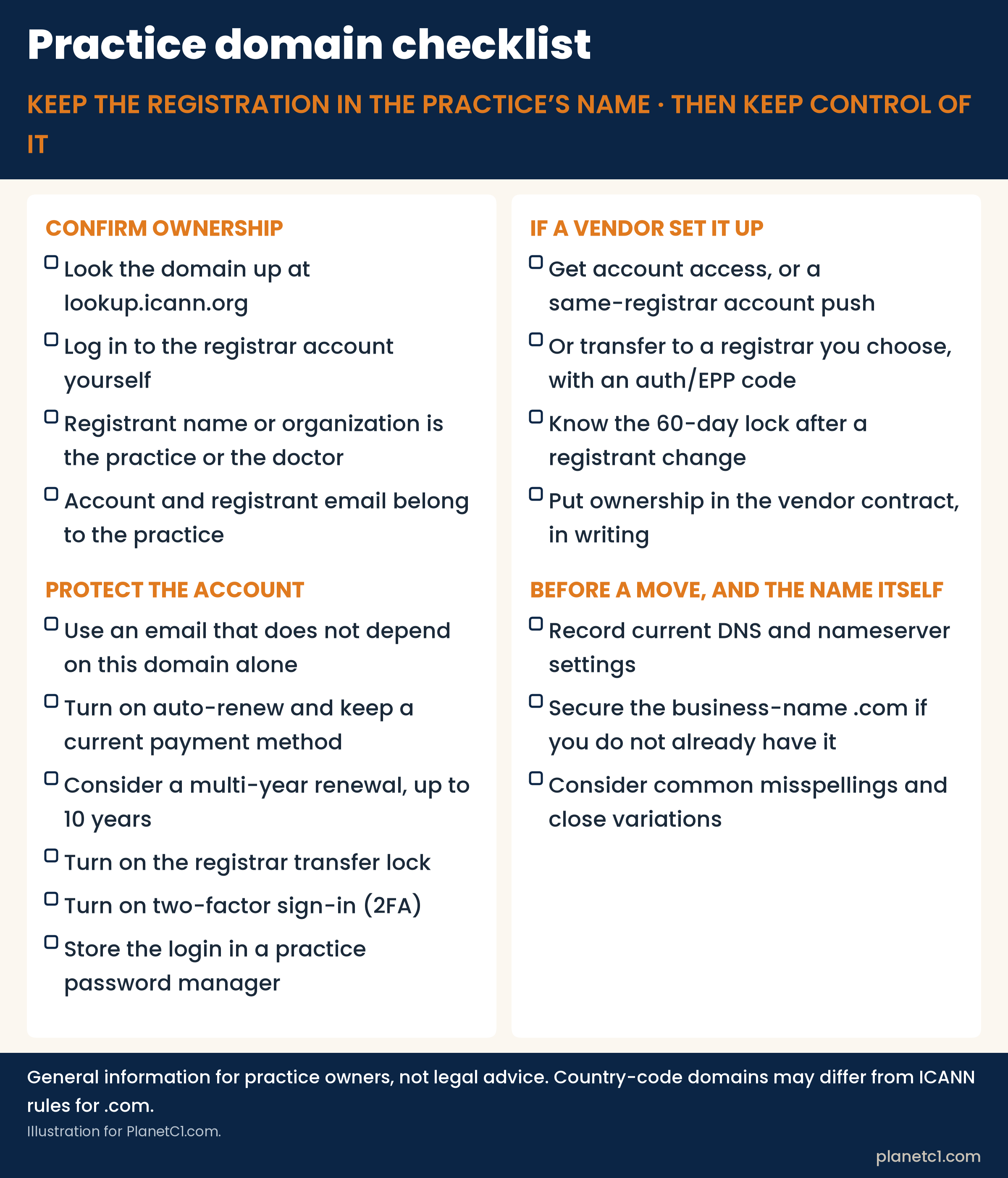
Once the practice is the registrant, a few habits keep it that way. Here is the checklist in plain text, so you can use it even if the graphic does not load.
Confirm ownership
- Look the domain up at lookup.icann.org.
- Log in to the registrar account yourself.
- The registrant name or organization is the practice or the doctor.
- The account and registrant email belong to the practice.
Protect the account
- Use an email that does not depend on this domain alone.
- Turn on auto-renew and keep a current payment method.
- Consider a multi-year renewal, up to 10 years.
- Turn on the registrar transfer lock.
- Turn on two-factor sign-in (2FA).
- Store the login in a practice password manager.
If a vendor set it up
- Get account access, or a same-registrar account push.
- Or transfer to a registrar you choose, with an auth/EPP code.
- Know the 60-day lock after a registrant change.
- Put ownership in the vendor contract, in writing.
Before a move, and the name itself
- Record current DNS and nameserver settings.
- Secure the business-name .com if you do not already have it.
- Consider common misspellings and close variations.
Protect the account
- Turn on auto-renew, and keep a current payment method on the registrar account. If you choose automatic renewal, ICANN notes that you must also keep your payment information current.
- Consider paying several years ahead. You can usually register or renew a generic domain for one to ten years, and the unexpired term cannot go past ten years. In 2007, in Domain Name Expiration Notice, I wrote that if you only have one or a few domains, it is worth registering them for five years or more. In our November 2026 research, only 2.5% of the 18,432 practice domains we looked up were paid five or more years ahead.
- Turn on the registrar transfer lock. In a lookup this often appears as the status clientTransferProhibited. It tells the registry to reject a request to move the domain to another registrar, which helps against an unauthorized transfer. Leave it on for day-to-day use. If you later decide to transfer, your registrar must provide a way to remove the lock; if they do not give you a self-service tool, they must remove it within five calendar days of your request.
- Turn on two-factor sign-in (2FA) on the registrar account. It is one of the simplest ways to keep someone else from walking into the account with only a password.
- Store the login in a practice password manager, not only in one person’s browser, and not only on a vendor’s laptop. More than one trusted person in the practice should be able to reach it if needed.
If a vendor set the domain up: access, a push, or a transfer
Ask the vendor to do one of the following, in writing if you can.
Give the practice account access. The practice should be able to sign in, see the registrant information, and manage renewals and locks without waiting on the vendor.
Or “push” the domain into a registrar account the practice already has. A push, sometimes called an account change or an intra-registrar move, stays at the same registrar. It is not the same as transferring to a different company. At GoDaddy, for example, this is documented as transferring a domain to another GoDaddy account: the current holder starts the move, and the recipient has to accept it (GoDaddy currently gives the recipient 10 days). Existing DNS settings are typically kept, but products such as a website or email attached to that account may not travel with the domain, so confirm what moves and what does not. Other registrars have their own version of an account-to-account move. Because it is not an inter-registrar transfer, you usually do not need an auth code, and you do not start the 60-day clock that follows a completed transfer to a new registrar.
Or transfer the domain to a registrar the practice chooses. This is an inter-registrar transfer: a move from one registrar company to another. In plain terms, you unlock the domain (remove the registrar lock), you ask your current registrar for the Auth-Code — also called an AuthInfo code, authorization code, transfer code, or EPP code — and you start the transfer at the new registrar. Your current registrar must provide that code within five calendar days of your request. Completing an authorized transfer typically adds one year to the registration, as long as the total unexpired term does not go past ten years. A registrar may charge a fee for the transfer, but it cannot deny the transfer just because that fee is unpaid.
Three 60-day rules are easy to mix up:
- A registrar may deny a transfer within 60 days of the domain’s first registration.
- A registrar may also deny a transfer within 60 days after a previous inter-registrar transfer.
- After a Change of Registrant — a material change to the registrant’s name, organization, or email address — the current Transfer Policy says the registrar must impose a 60-day lock against a move to another registrar, unless you opted out of that lock before the change. Registrars are allowed to offer that opt-out; they are not required to. The lock does not block ordinary DNS changes or renewals. It only blocks a transfer to a different registrar.
If your goal is both to put the practice’s name on the registration and to move to a different registrar, ICANN’s own advice is to complete the inter-registrar transfer first, then change the registrant information, so you do not start that 60-day lock and then have to wait. If you must change the registrant first, ask the current registrar, before you save the change, whether they offer an opt-out.
A note on timing: ICANN’s Transfer Policy Review has recommended changes, including removing the Change of Registrant 60-day lock and shortening some other windows. The GNSO Council adopted that final report in March 2025. As of this writing, the published Transfer Policy still includes the 60-day Change of Registrant lock, so plan around the rules that are in force today, and recheck the official policy if you are making a change later.
Put ownership in the vendor contract
If a vendor is going to register or manage a domain for you, say in the contract, in plain words, that:
- The practice (or the doctor) is the registrant, or Registered Name Holder.
- The registrar account is controlled by the practice, including the login and the official email.
- The vendor will help with an account push or a transfer when asked, and will not treat the domain as leverage or as an extra product you have to buy back.
- Credentials, renewal notices, and the auth code belong to the practice.
Have your attorney review the language. The point is not a special legal formula. The point is that ownership is written down before there is a disagreement.
Record DNS settings before any move
Before you push or transfer a domain, save a copy of the current nameservers and DNS records (the settings that point the name to your website and email). A transfer of the domain is not the same as a move of the website host, and one should not surprise the other. If something does not come up after a change, that copy is how you put the directions back.
Secure the business-name .com, and consider close variations
If you do not already have the obvious .com for the practice’s business name, it is worth checking whether you can still register it. Common misspellings and close variations are also worth a look, so a similar address does not end up in someone else’s hands. In our earlier count of what chiropractors name their websites, .com was the extension on 94.6% of practice domains. For most practices, the public address patients expect is still a .com.
If you are opening a practice, adding a location, or looking for a better name, ChiropracticDomains.com is my portfolio of chiropractic domains for practices, clinics, and businesses that serve chiropractors.
A short list of official sources
I checked the following pages while writing this guide:
- ICANN Lookup, and ICANN’s January 27, 2025 announcement, “Launching RDAP; Sunsetting WHOIS.”
- ICANN’s Registration Data Policy, and the August 21, 2025 announcement that the policy is now in effect.
- The current Transfer Policy, the FAQs for registrants on transferring a domain, and About Change of Registrant.
- Registrants’ Benefits and Responsibilities, the renewal and expiration FAQs, five things to know about the Expired Registration Recovery Policy, and EPP status codes.
- GoDaddy’s help page on transferring a domain to another GoDaddy account, as an example of a same-registrar push.
The research behind the warning that started this guide is in Chiropractor Domain Research: Findings for Nov 2026, joint work by PlanetC1.com, ChiropracticDomains.com, and ChiropractorNearMe.com.
If you have a question about your own domain, or a situation you want us to look at in a future piece, get in touch.
Copyright NearMe Networks, LLC.