Your NPI Has a 30-Day Update Rule. Here's How to Stay Current, and How Your Staff Can Help
When a patient, an insurer, or a directory looks up a chiropractor, they often start with the National Provider Identifier (NPI) record in CMS's National Plan and Provider Enumeration System (NPPES). ChiropractorNearMe.com uses that public data, plus practice websites and submitted corrections, to keep listings current. A stale NPI record can send patients, and directories like ours, to the wrong address or phone number.
Many NPI records have not been touched in years
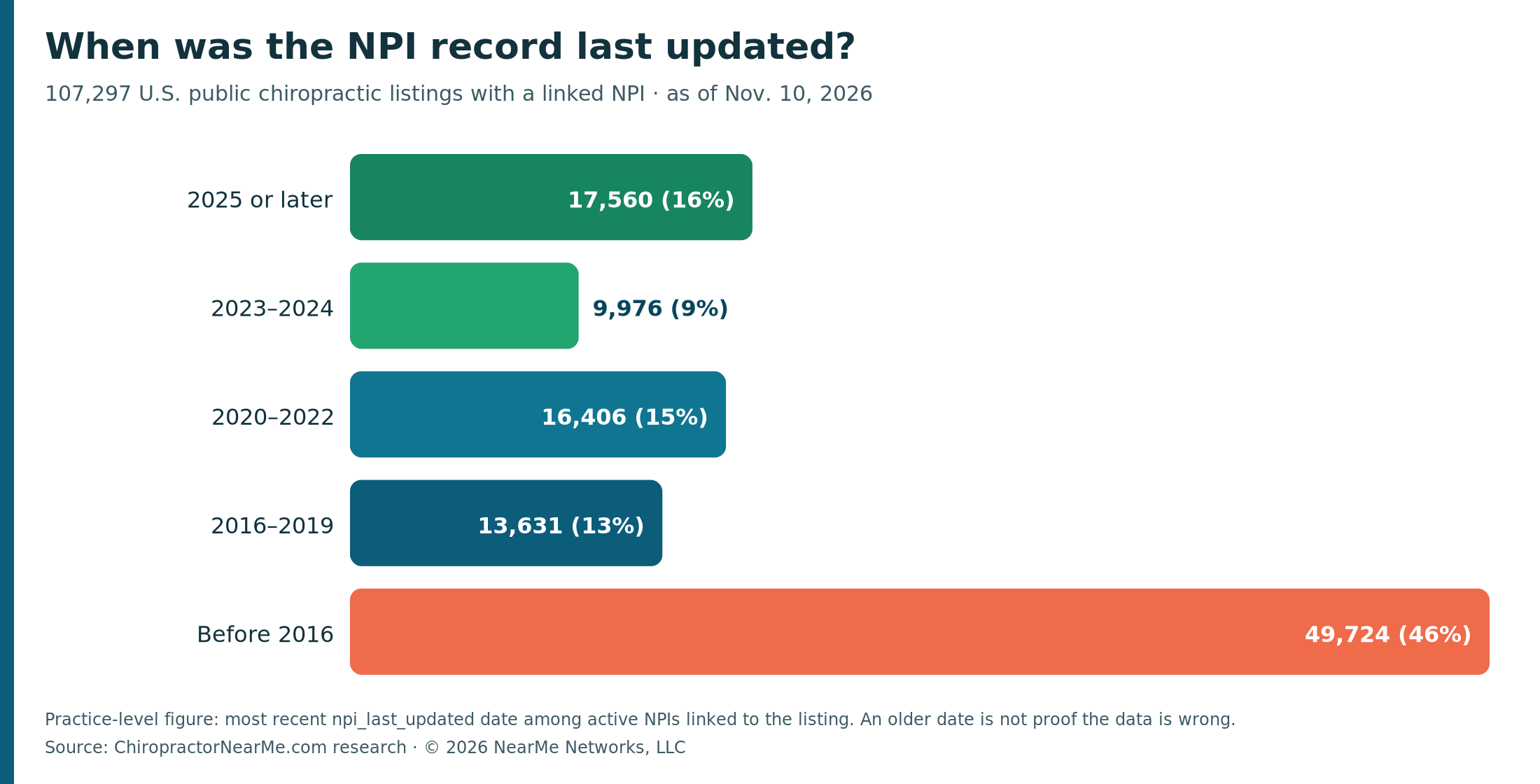
As of November 10, 2026, ChiropractorNearMe.com had 107,297 public U.S. chiropractic listings linked to at least one active NPI. Using the most recent "NPI last updated" date on those records, only about 10% (11,211) had an update in the past 12 months. About 70% (74,557) had no update in the past five years, and 46% (49,724) had none since before 2016.
That is a freshness measure, not proof the data is wrong. A practice that has not moved may still have an older record. It only shows when someone last saved a change in NPPES.
The rule is clear: 30 days
If you are a covered health care provider under HIPAA, you must report changes to the required data in NPPES within 30 days. The regulation is 45 CFR 162.410(a)(4): a covered provider must "communicate to the NPS any changes in its required data elements in the NPS within 30 days of the change."
CMS says the same thing in plain language. Its Unique Identifiers FAQ states that a covered provider who moves "must notify the NPPES of the address change within 30 days of the effective date of the change," and encourages other NPI holders to do the same. The December 2024 NPI fact sheet says a covered provider must report any changes to the information provided for their NPI within 30 days of the change.
Why this shows up in directories
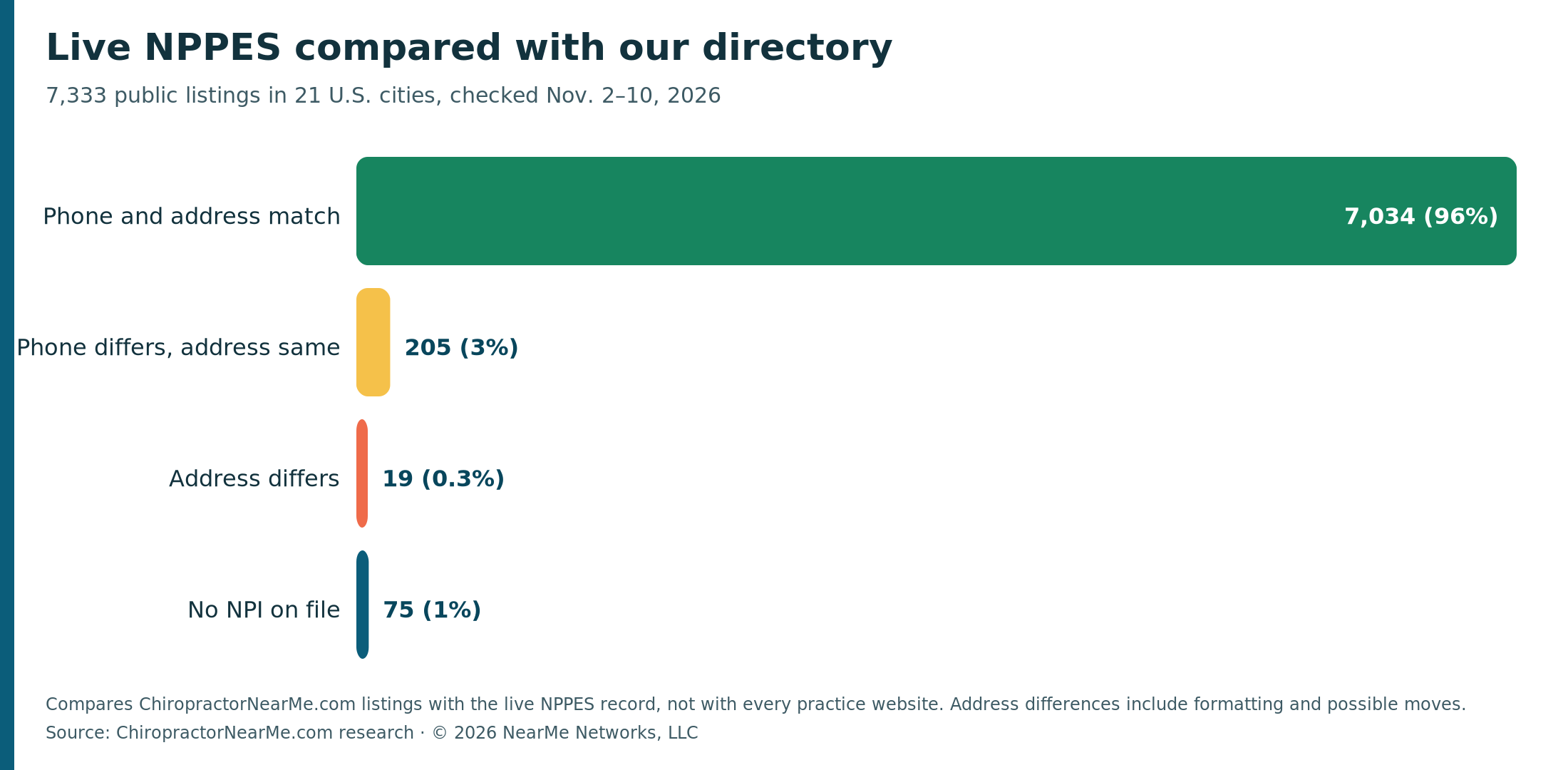
In early November 2026 we compared 7,333 public listings in 21 U.S. cities with the live NPPES record. Most already agreed: 7,034 (96%) matched on both phone and address. Another 205 (3%) had a different phone with the same address, 19 (0.3%) had an address difference, including a handful of possible moves, and 75 (1%) had no NPI on file.
Those checks compare our directory with NPPES, not with every practice website. Separately, among 23,490 U.S. listings where we could read a phone number from the practice website, 226 sites (about 1%) showed a different number than the listing, which, for NPI-sourced offices, comes from NPPES.
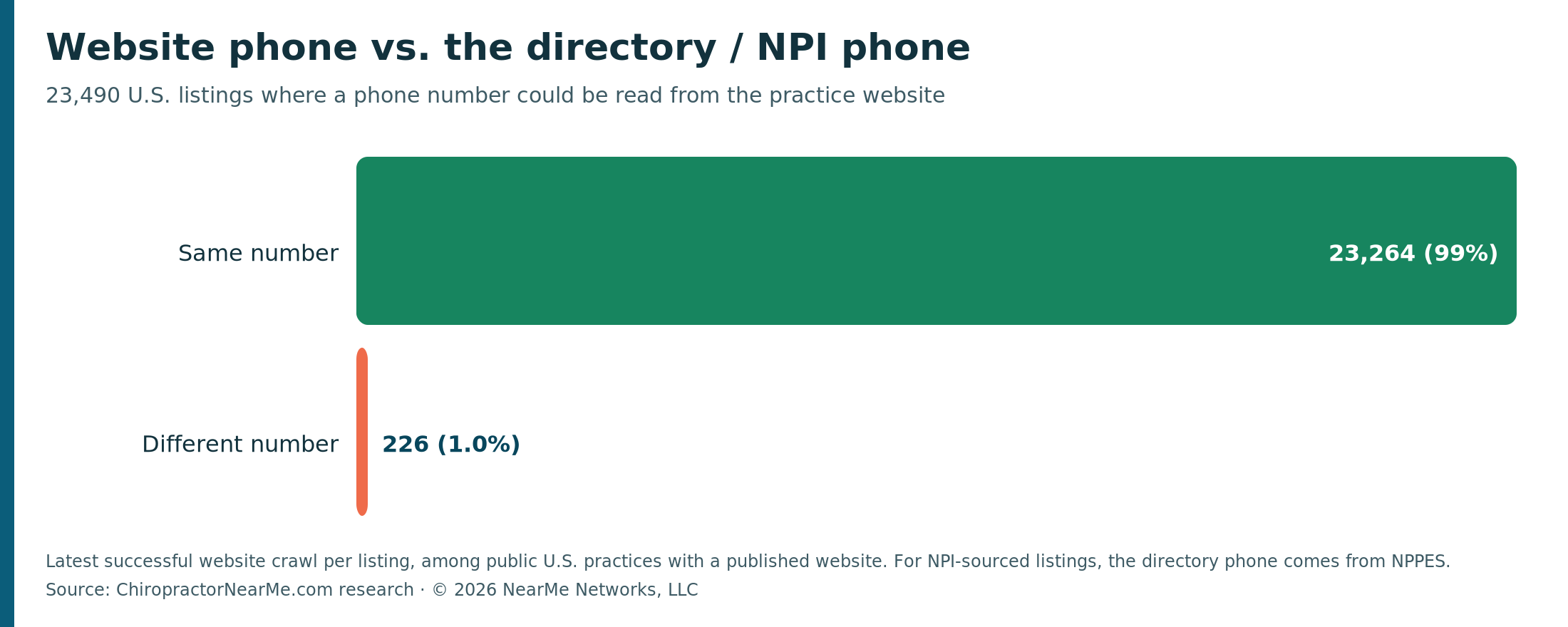
Most records agree. When something does change, such as a new suite, a new main number, or a move, patients and directories will keep the old facts until NPPES is updated.
How to update your NPI
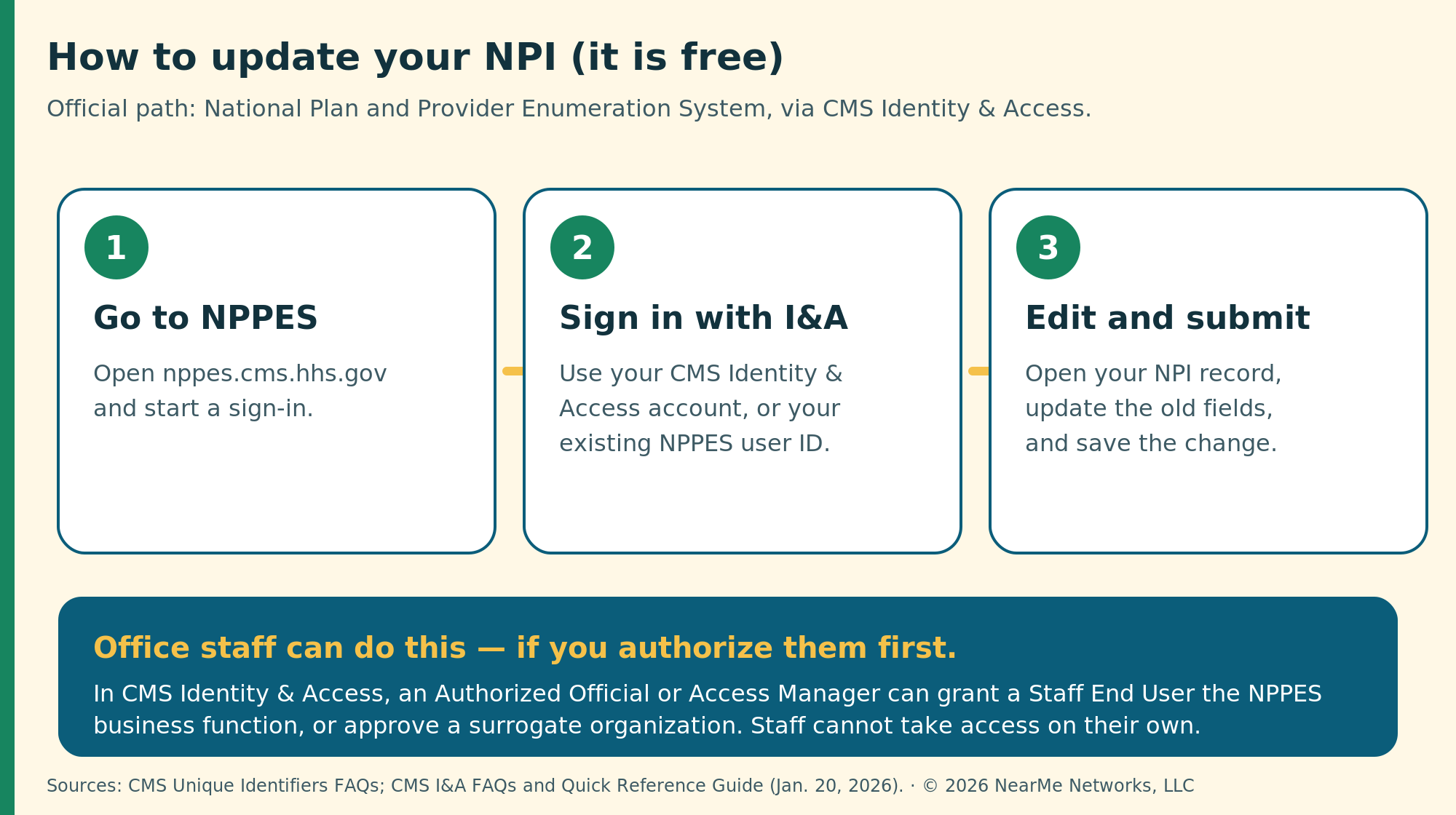
Updates are free. Online, the official path is:
- Go to NPPES at https://nppes.cms.hhs.gov/#/.
- Sign in with your CMS Identity & Access (I&A) account. If you already have an NPPES user ID, you can use that to sign in to I&A.
- Open your NPI record, change the outdated fields, and submit.
You can also use paper form CMS-10114 (the NPI Application/Update Form) and mail it to the NPI Enumerator, or call 1-800-465-3203. CMS notes that updating NPPES does not automatically update Medicare enrollment in PECOS. If you bill Medicare, that is a separate step.
Yes, office staff can do this if you authorize them
You do not have to type the update yourself. CMS Identity & Access lets you authorize a trusted person to work in NPPES for you.
CMS defines a surrogate as "a user who has been permitted by a Provider (Individual or Organization) to work on that Provider's behalf in the business function(s), PECOS, NPPES, PEPPER, or CBR designated by the Provider" (I&A FAQs, January 20, 2026). The official I&A Quick Reference Guide says a staff employee of a provider may access, view, and modify information in CMS systems on behalf of their employer.
Two common paths:
If the staff member works in your office. An Authorized Official or Access Manager adds that person in I&A (My Staff), grants the NPPES business function, and approves the access. A Staff End User cannot take that access; they have to be granted it.
If you want an outside firm, such as a billing company, credentialing service, or group, to do it. In I&A, go to My Connections, choose Add Surrogate, select the organization, check NPPES as a business function, and submit. The other party has to accept. If you authorize only PECOS, the surrogate cannot enter NPPES.
You can end that access later by disabling the connection in I&A.
While you are at it, check your public listing
NPPES is the official record. Patients also find you on public directories. Look up your practice on ChiropractorNearMe.com and send a free claim or correction if something is off; we review those before they go live.
- Find your listing on ChiropractorNearMe.com
- Claim or correct your listing
- Update the official NPI record in NPPES
Questions about this research? Get in touch through the contact form.
Research: ChiropractorNearMe.com. Copyright © 2026 NearMe Networks, LLC. Plain-language summary of public CMS rules, not legal advice. Follow official NPPES and I&A instructions.